Silent Stepper 3D Printer Upgrade (and other noise mitigations)
My 3D printer is situated in a closet that shares a wall with my bedroom. While generally acceptable, the standard A4988 Stepper Motor Drivers produced persistent buzzing and ringing noises during late-night prints. Seeking a completely silent solution, I transitioned to TMC2100 drivers. Although more expensive at approximately $10 each, their performance is remarkable.
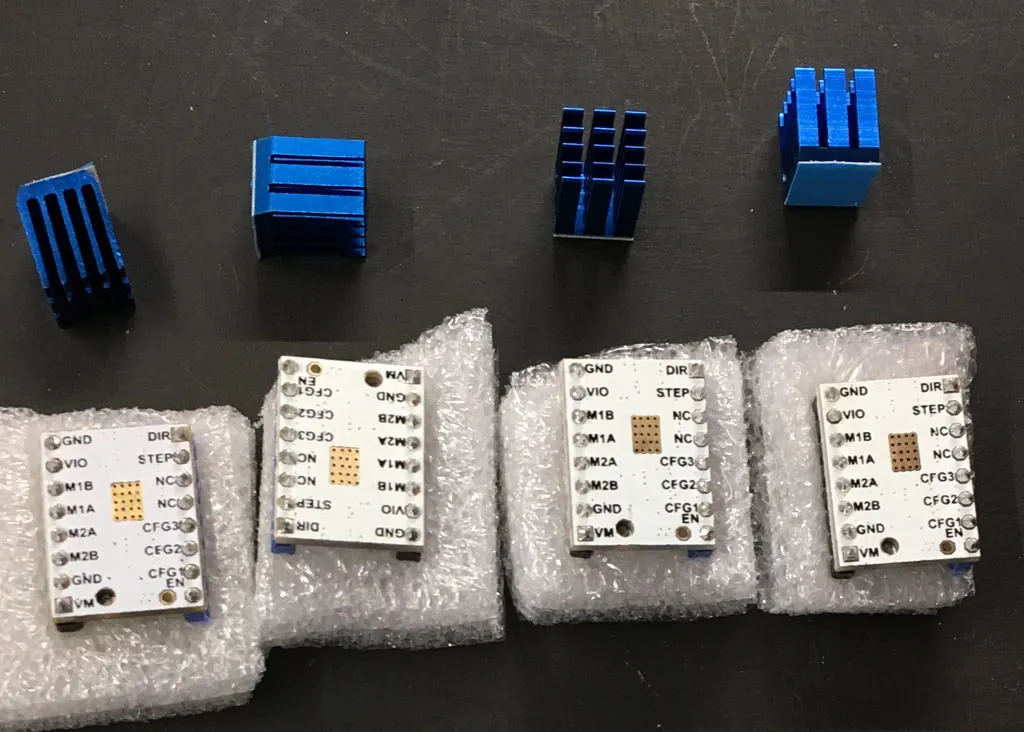
Following the installation on my
Most TMC2100-based driver boards are compatible. While I sourced mine from a specific vendor, several alternatives are available, including more affordable versions frequently recommended within the RepRap community.
However, it is important to note that these drivers operate at significantly higher temperatures than the A4988. If you experience missed steps, verify that there is adequate airflow over the heatsinks before attempting to change the operating mode from stealthChop.
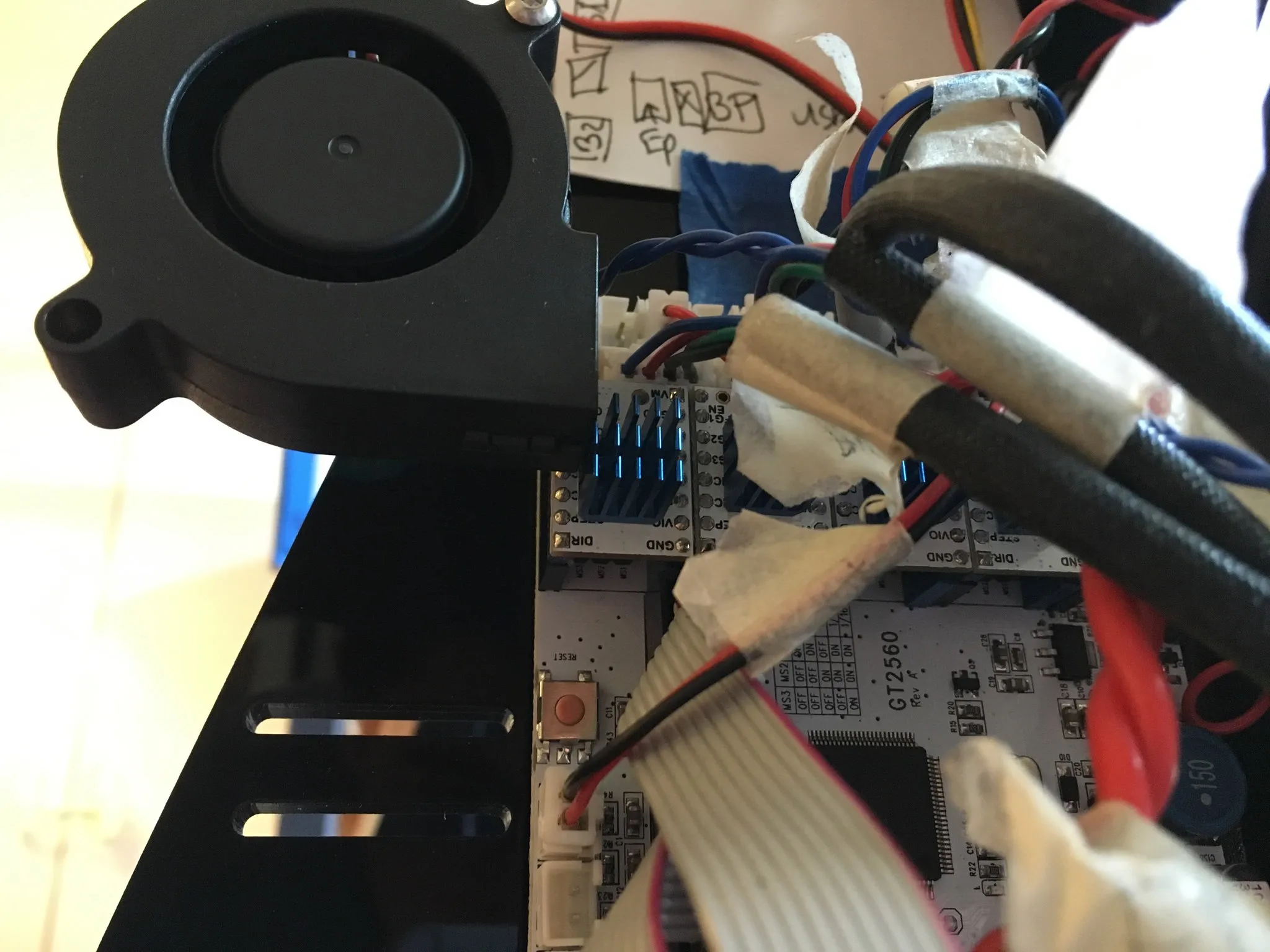
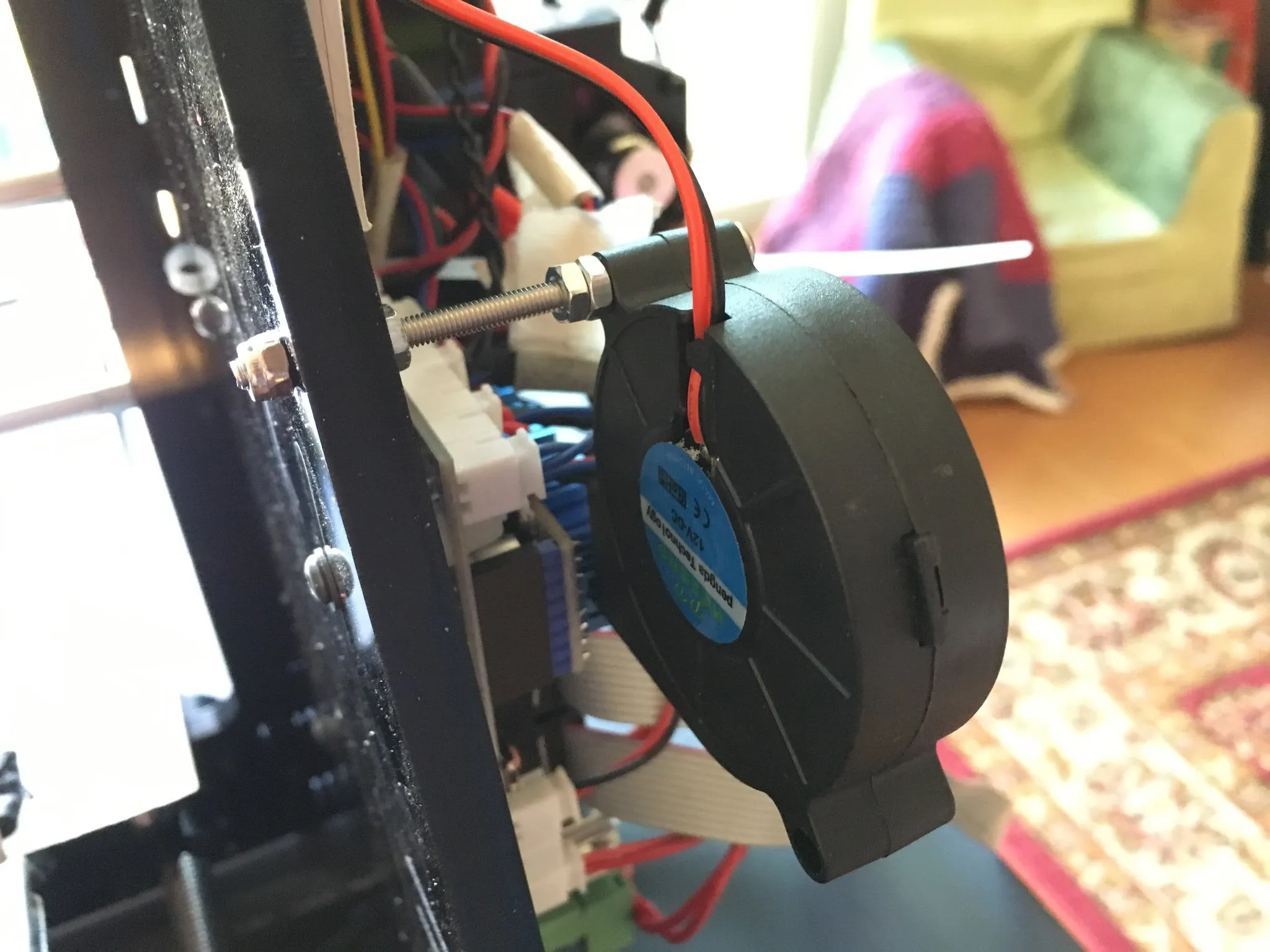
During initial testing, I encountered frequent missed steps due to thermal shutdown. While the cooling setup was sufficient for the A4988s, the TMC2100s required additional active cooling. The issues were resolved by adding a dedicated fan. Note that orienting the heatsinks 90 degrees from my initial installation might further optimize airflow:
Installation and stealthChop Configuration
The default operating mode is stealthChop. While there is a common perception that this mode provides less torque than spreadCycle, theoretical performance remains comparable. The primary consideration for stealthChop is thermal management; ensure robust airflow across the heatsink to maintain stability.
To install:
- Document Orientation: Note the location of the GND pin and the orientation of the existing drivers.
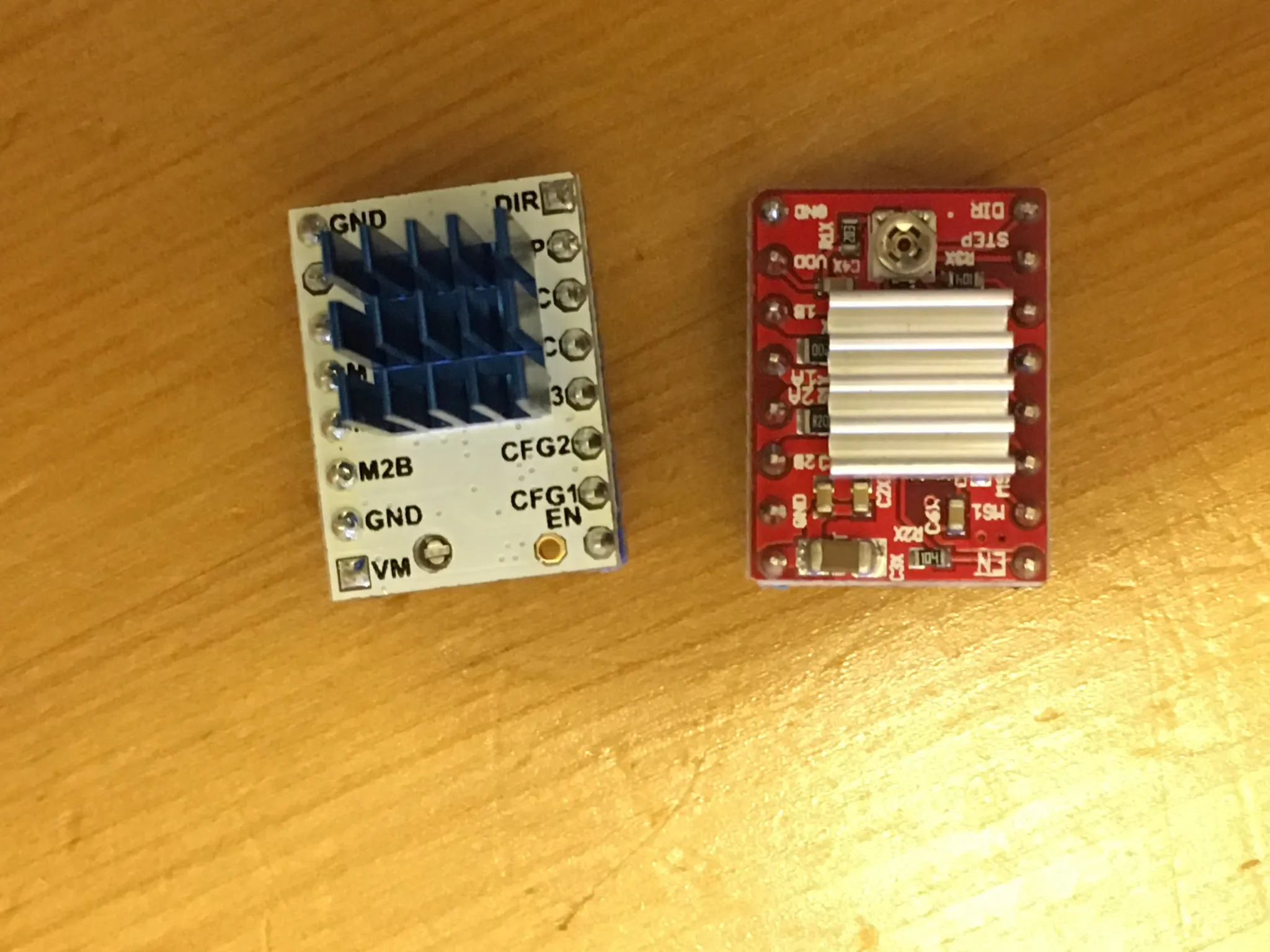
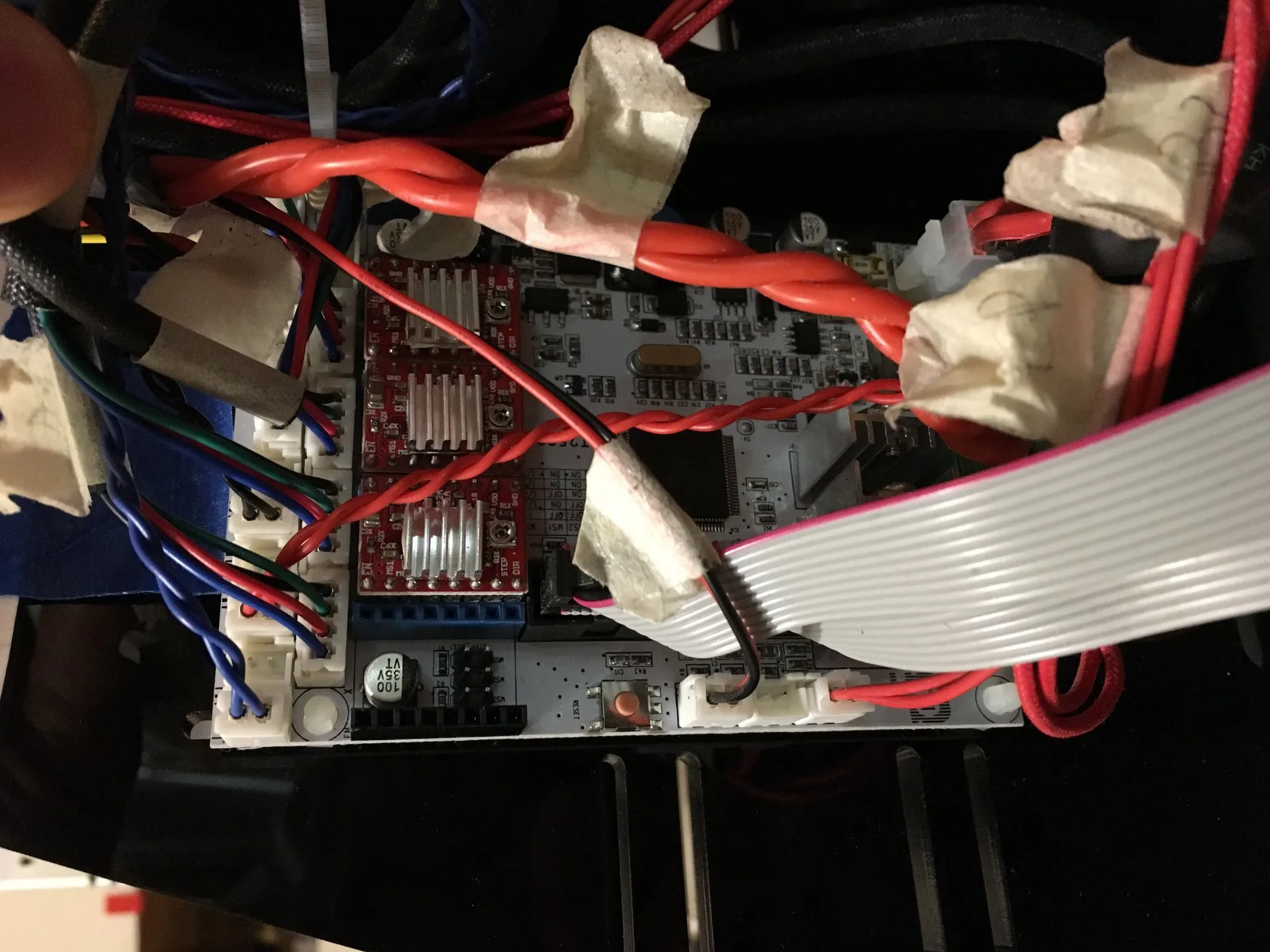
- Prepare the Board: Remove the existing drivers and the jumpers located beneath them.
- Install New Drivers: Install the TMC2100 drivers, ensuring the GND pin matches the orientation documented in the first step.
Modes
Here is the table of modes:
| CFG1 | CFG2 | µ-steps | Interpolation | Mode |
|---|---|---|---|---|
| GND | GND | 1 (full step) | none | spreadCycle |
| VCC | GND | 2 (half-step) | none | spreadCycle |
| open | GND | 2 (half-step) | 256 µ-steps | spreadCycle |
| GND | VCC | 4 (quarter-step) | none | spreadCycle |
| VCC | VCC | 16 µ-steps | none | spreadCycle |
| open | VCC | 4 (quarter-step) | 256 µ-steps | spreadCycle |
| GND | open | 16 µ-steps | 256 µ-steps | spreadCycle |
| VCC | open | 4 (quarter-step) | 256 µ-steps | stealthChop |
| open | open | 16 µ-steps | 256 µ-steps | stealthChop |
According to the RepRap documentation page, you want either of these configs:
| CFG1 | CFG2 | µ-steps | Interpolation | Mode |
|---|---|---|---|---|
| GND | open | 16 µ-steps | 256 µ-steps | spreadCycle |
| open | open | 16 µ-steps | 256 µ-steps | stealthChop |
To test your configuration, install the driver with the jumpers removed and use a multimeter’s continuity feature to verify that the CFG1 and CFG2 pins match the ground or VCC connections in the table above.
Technical Considerations
- Micro-stepping & Interpolation: The TMC2100 uses 16-step subdivision, which is interpolated internally to 256 micro-steps for smoother motion.
- Thermal Management: These drivers generate significant heat. At 0.5A, the operating temperature is approximately 70°C, and it can exceed 150°C at 1A without active cooling. It is strongly recommended to use a fan and maintain the current around 0.5A for optimal stability.
- Current Adjustment: The driving current can be calculated using the formula:
i = Vref * 1.9 / 2.5. The default Vref is typically 0.65V, resulting in a 0.5A current. - Voltage Measurement: When measuring Vref, ensure the motor is disconnected to prevent driver damage. The board must be powered by the main power supply, not just USB.
- Orientation Warning: Pay close attention to the driver direction. Incorrect installation will likely damage the driver.
- Motor Direction: Motor direction for the TMC2100 is reversed compared to A4988 and DRV8825 drivers. This can be corrected in your firmware or by reversing the motor wire sequences.
For more detailed information, refer to the RepRap TMC2100 Documentation.
Other Noise Mitigations
Following the installation of the TMC2100s, the remaining noise sources were primarily the fans and mechanical creaks from the belts. To further isolate vibrations, I placed the printer on a gel vibration-dampening mat, typically used in kitchens.